What is the STRATO password system?
There are different passwords to use different services as part of your order at STRATO. For example, you can provide your webmaster access to the FTP storage space of your package, however, you can prevent access to the contractual data.
In the following, you will find an overview of the functions of the individual passwords:
| Customer password | Possible | Not possible |
| for login with the customer number | - Log in to the Customer Service Area - Administration of your customer data - Up-/Downgrades - View invoices - Domain and package orders - Configuration of the technical features | - Usage of the technical services (for example, FTP, SSH, MySQL, DynDNS) |
| Package password | Possible | Not possible |
| for login with the Domain name | - Log in to the Customer Service Area - Usage of all technical features and services (for example, FTP, SSH, MySQL) of the package if the package password is identical to the master password | - Domain orders - Up-/Downgrades - View invoices - Administration of your customer data - Configuration of the technical features - Usage of the technical services if a different master password is saved - Informal cancellation by email |
Create customer password
You can create the customer password right after activating your order. You will receive a link by email for this; the link will lead you to a page on which you can assign the customer password.
If you have not yet assigned a customer password or you do not know your current customer password, you can set a new customer password at any time. You only need your customer number and access to the contact email address you saved for this.
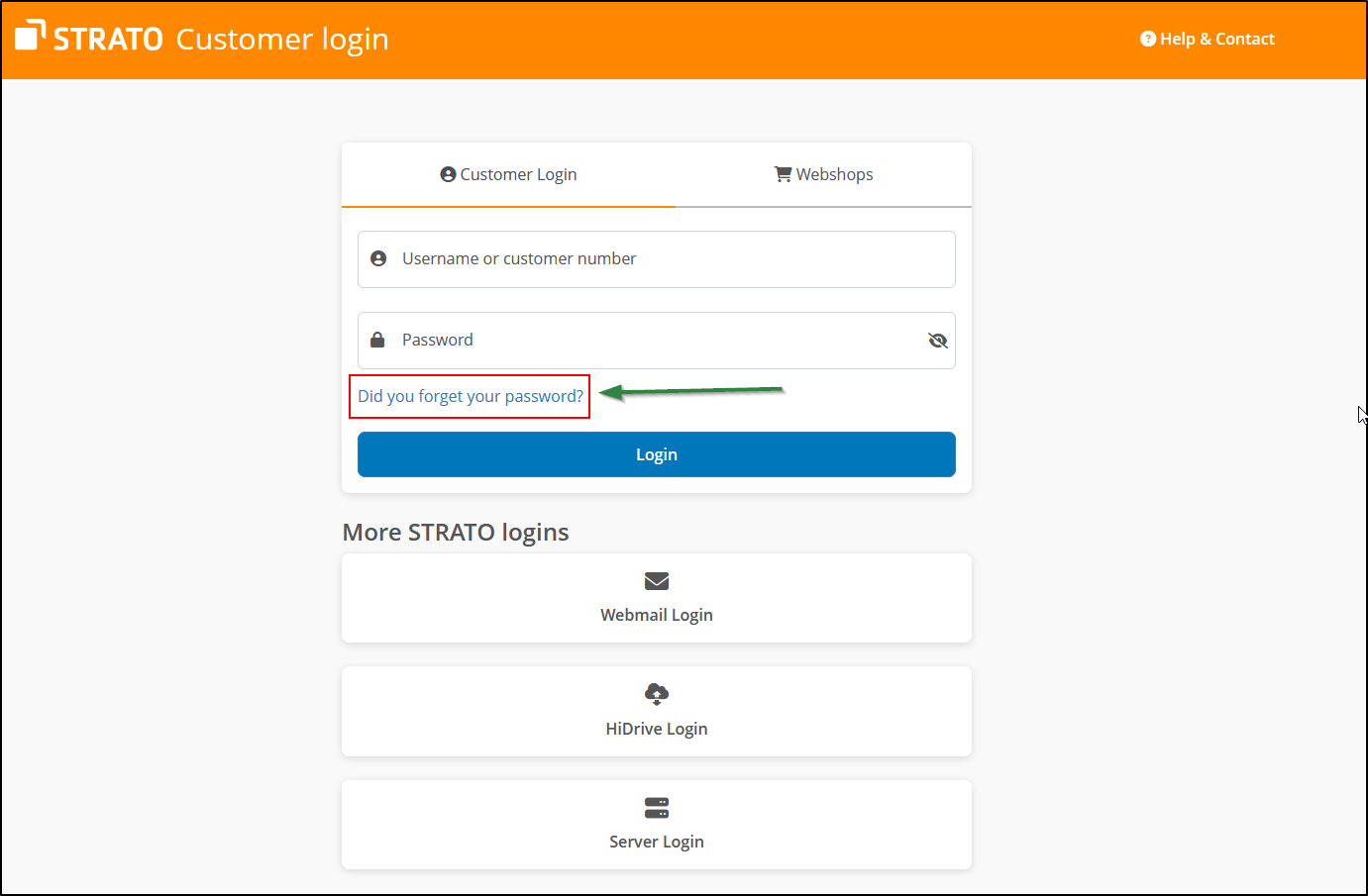
Click on the customer login page on the Forgot password? , link; in the following window you can specify your customer number and the saved email address. After this you will receive an email with a link that you can use to assign a new customer password.
Package password
You can view and change technical settings with this password. In your Customer Service Area, you can set up email accounts and FTP accounts, create subdomains, configure domain forwards and perform many other administrative tasks.
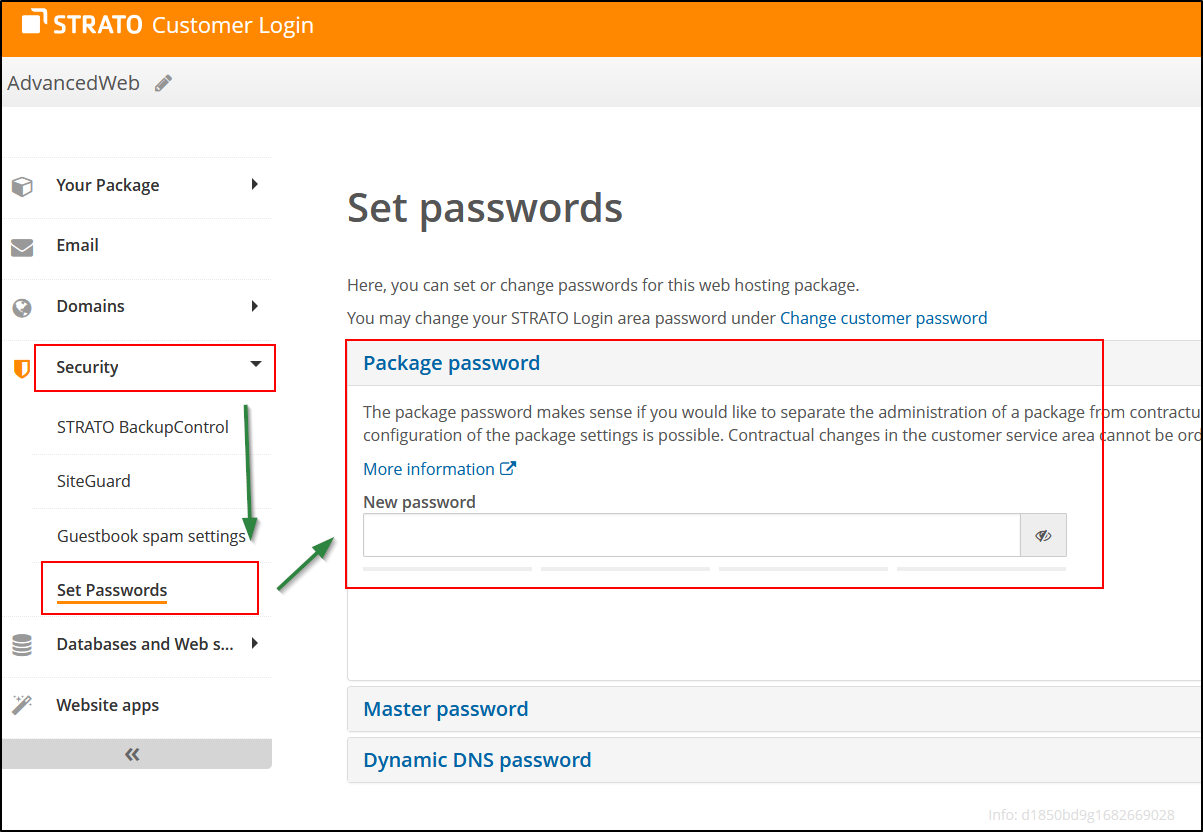
The new assignment or changing of the package password can be done in your customer login; in order to do so, you will have to log in with your customer number and customer password.
After logging in, click on your package to select the corresponding package.
Click on the menu option Security / Set Passwords in the package overview. Enter the desired package password and then save it.
After that you can log in with a domain from the package and the new package password. As an alternative to the domain, the master ID from the package can also be used as the user name.